Sign in

For coaches

Keep every client's training in view.

Write their programs and see the sessions they complete. Keep check-ins, form checks, and conversations together in your coaching workspace.
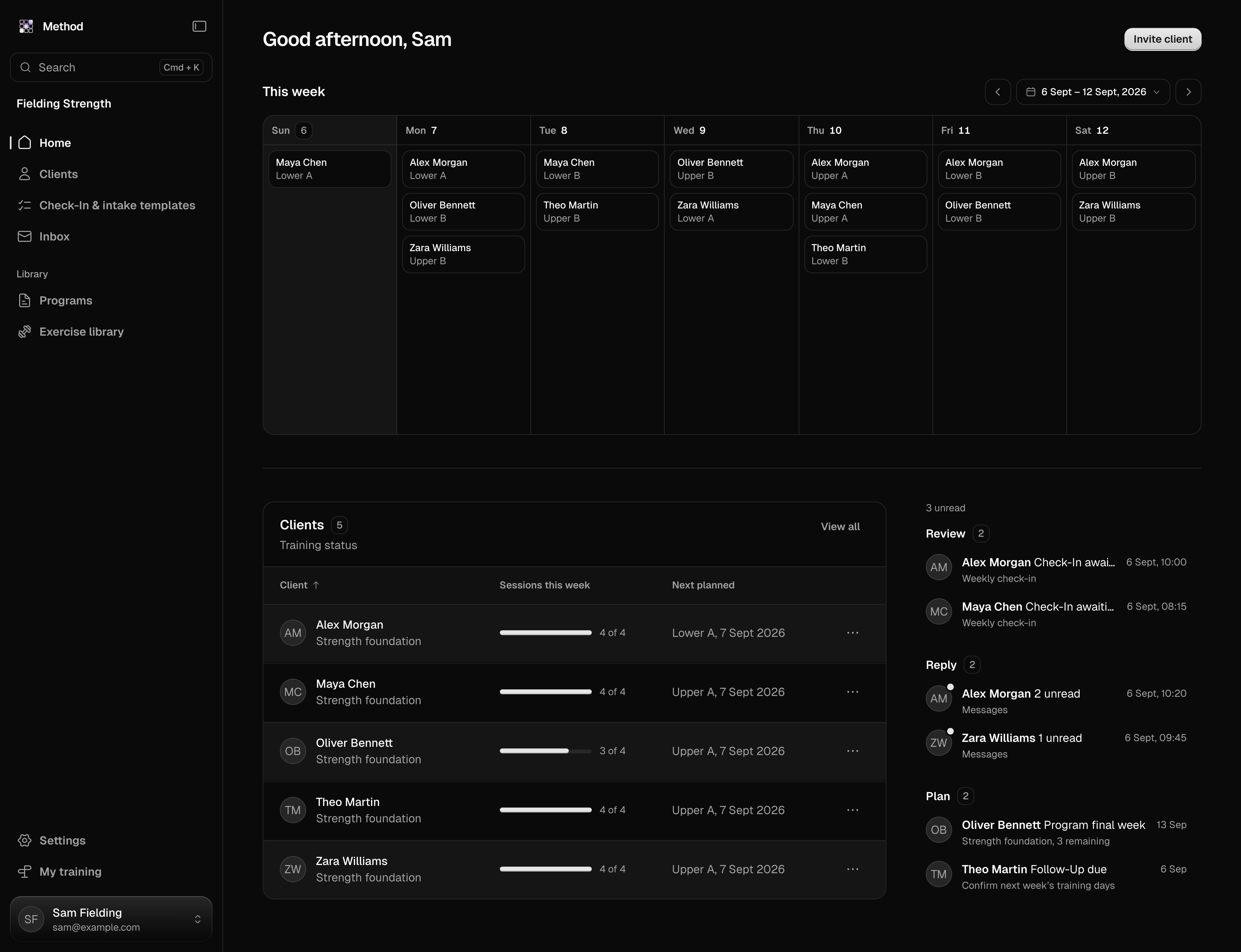
Start with what's waiting on you.

See submitted check-ins, unread messages, and missed training when you open Method.

Your appointments and client sessions sit on the calendar. Open an item and go straight to the client or work behind it.

Review

Submitted check-ins and training ready for a closer look.

Reply

Client messages waiting for your response.

Plan

The next appointments, programs, and follow-ups.
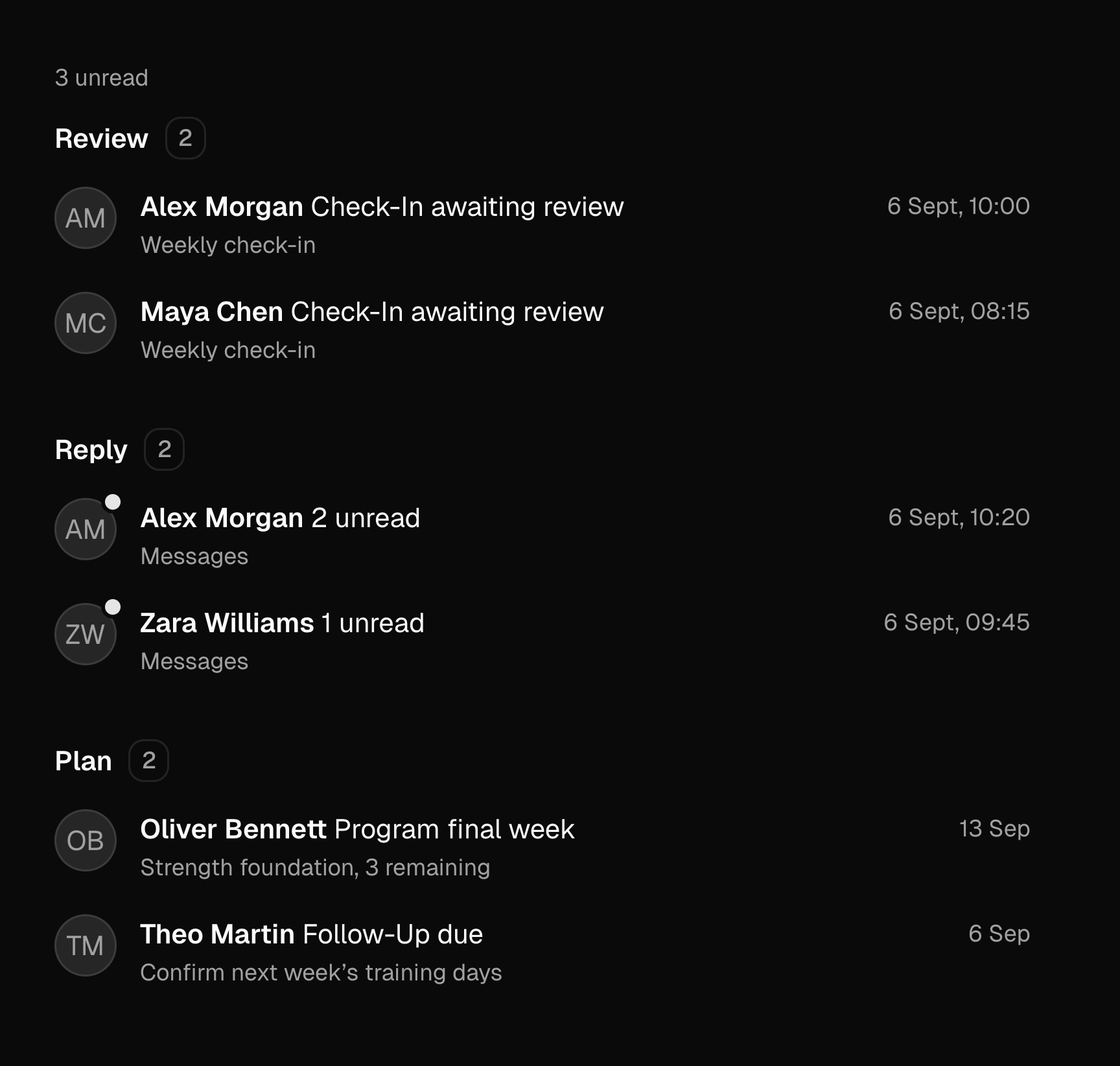
Coach Today showing a submitted check-in, unread client messages, and training to plan.

Write the program you want them to follow.

Build a program for one client or assign one from your library. Set the weeks, exercises, and prescriptions down to each set.
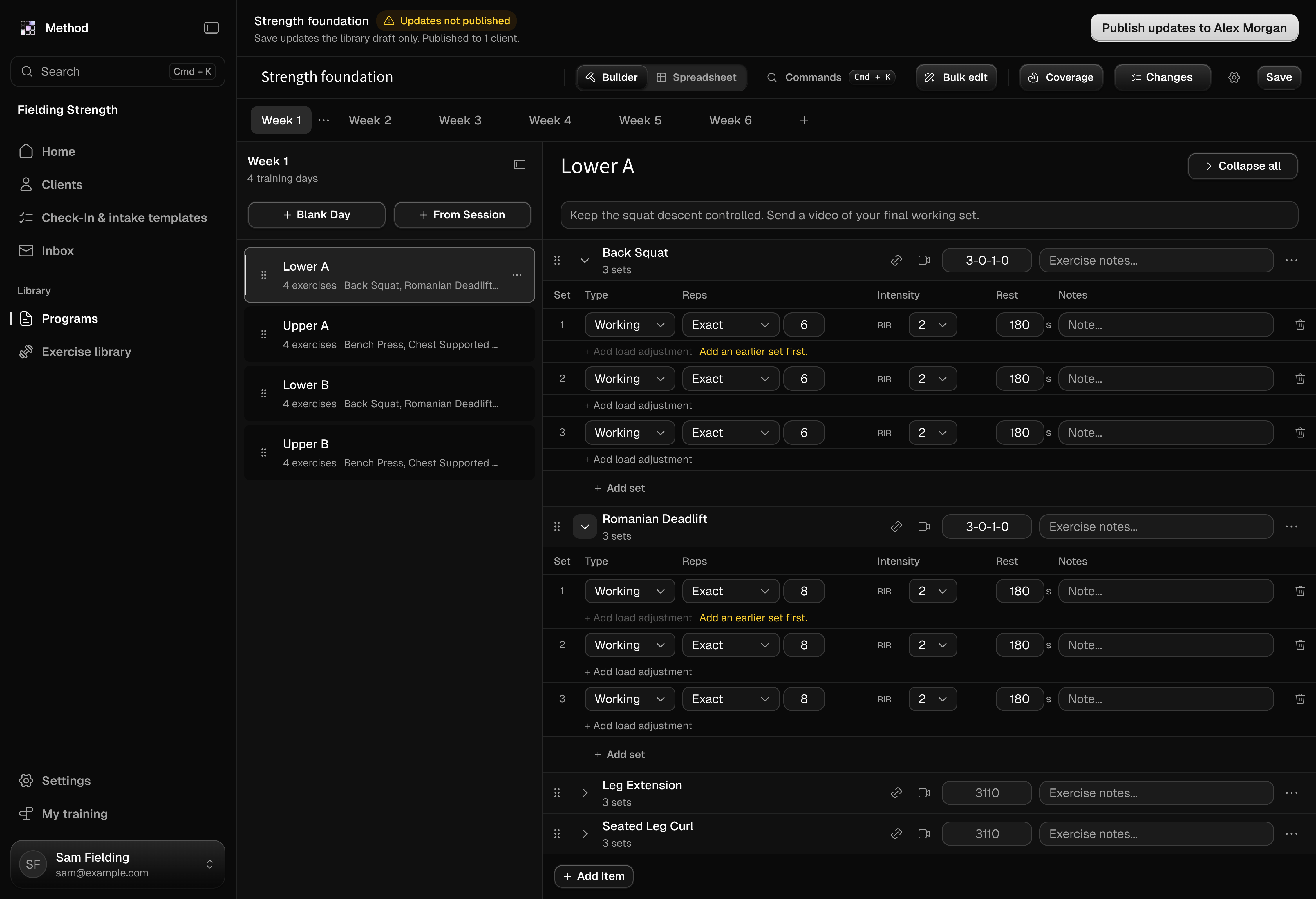
Alex Morgan’s strength program in the Method editor, with training weeks and prescribed sets, reps, effort, and rest.

Ready when you publish.

Choose their training dates or let them pick the start. Review your changes before publishing updates to their program.
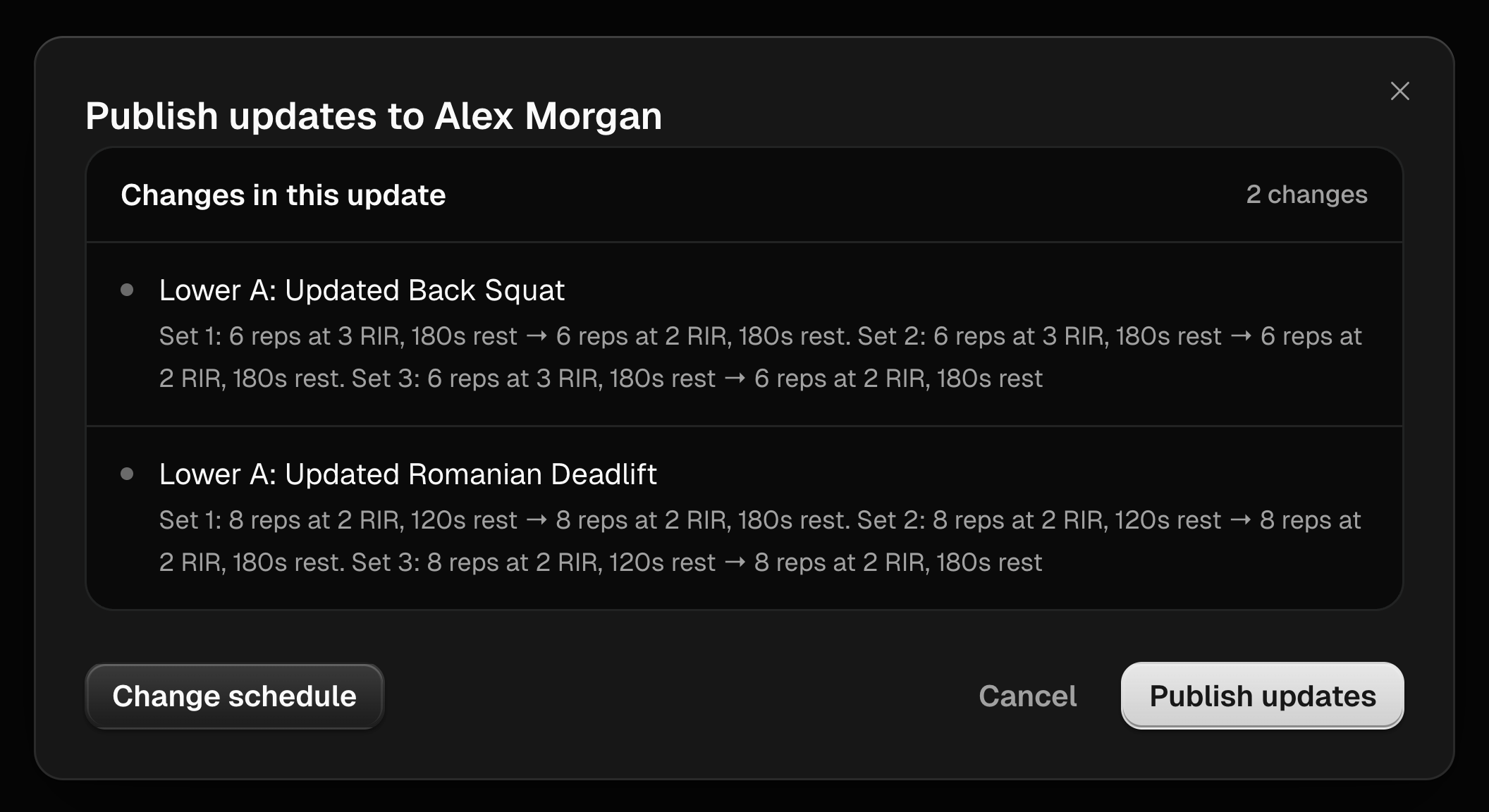
Method program publish review showing the changes Alex Morgan will receive before the coach publishes them.

See the work behind the numbers.

Open a completed session and see what your client logged. Review their weights, reps, and effort alongside their training history.
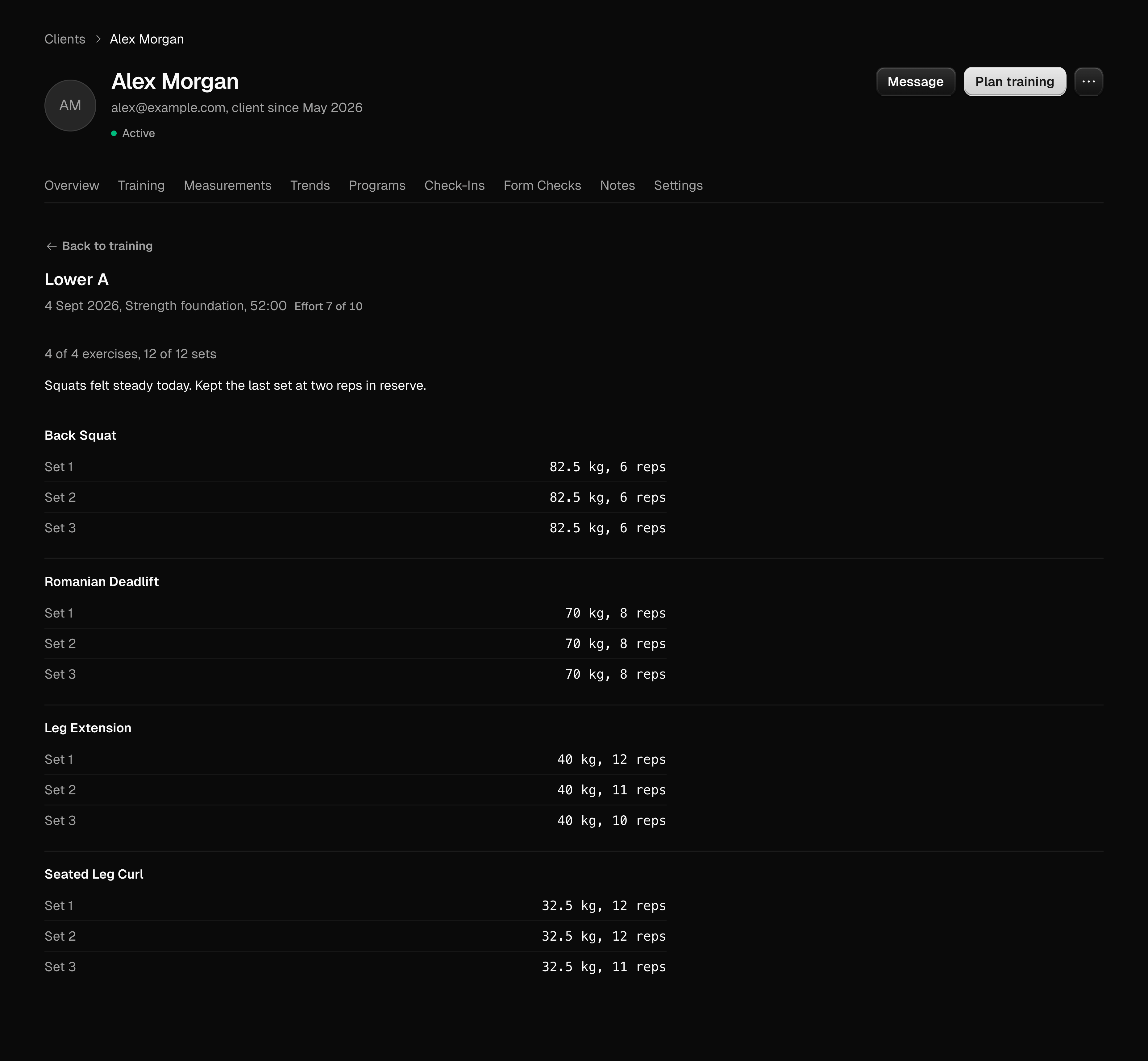
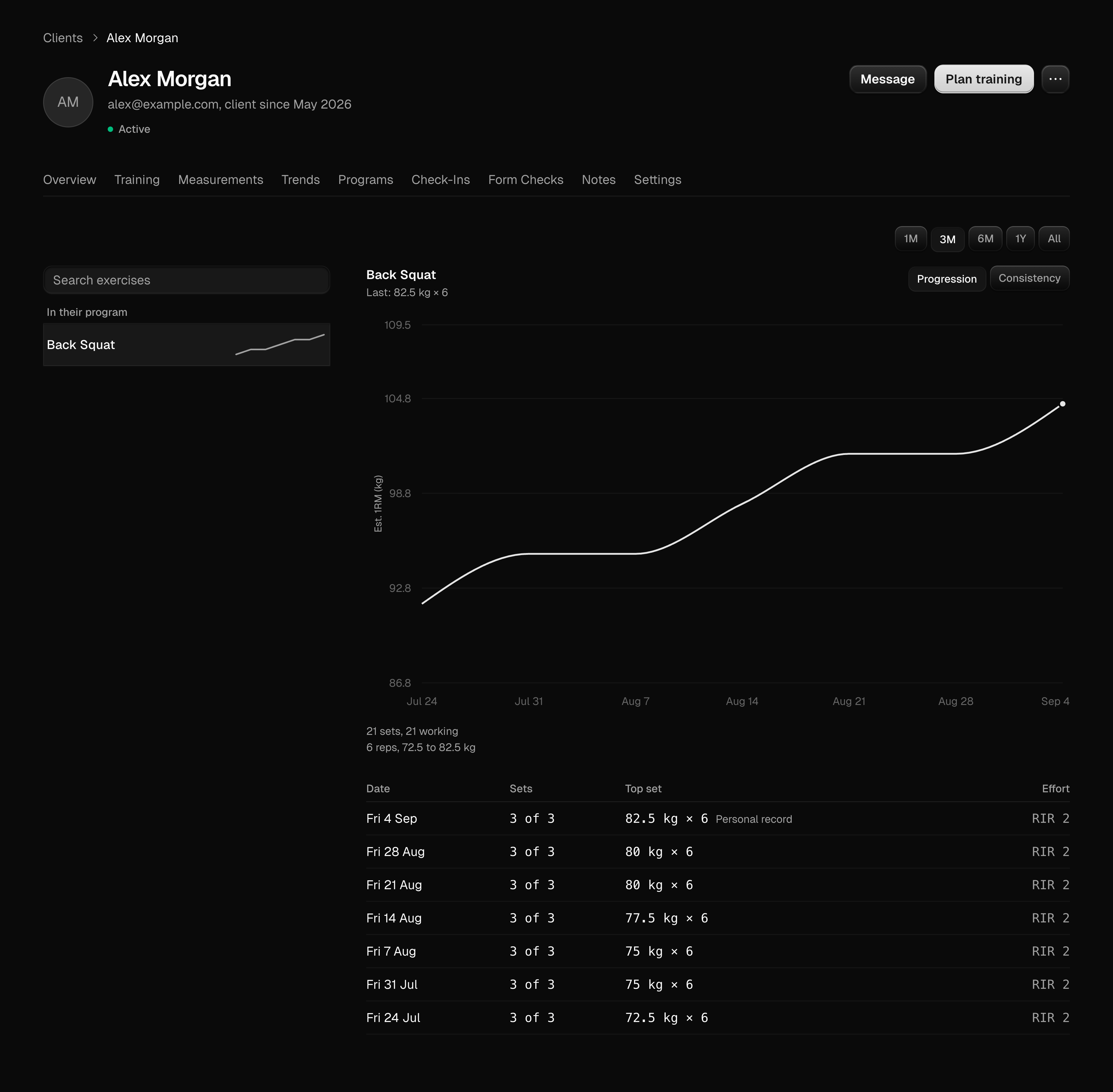
Alex Morgan’s completed strength session, with the weights and reps recorded for each set and an overall effort rating.
Alex Morgan’s exercise trend showing estimated one-rep max over time and the logged sessions behind it.

Exercise trends show estimated 1RM over time, with the sessions behind each change.

Put your feedback on the exact moment.

Ask for a form check or review a video your client sends. Pause the lift, draw on the frame, and leave timestamped notes.
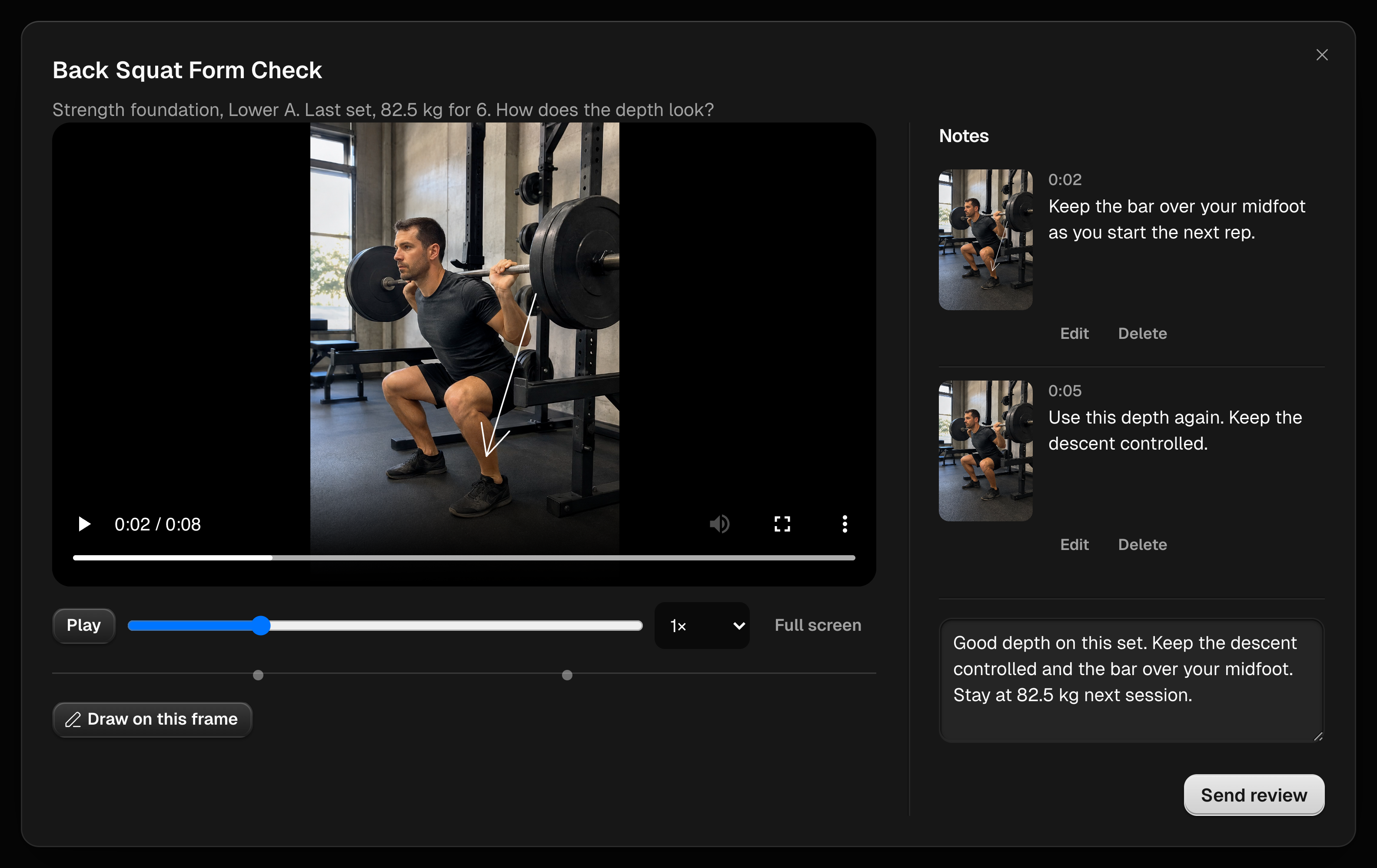
A paused exercise video in Method’s form check review, with a drawing on the frame and timestamped coach feedback beside it.

Send your review with a summary your client can return to.

Keep up between sessions.

Build check-ins around the questions you want to ask. Set a recurring schedule and review each client's answers.
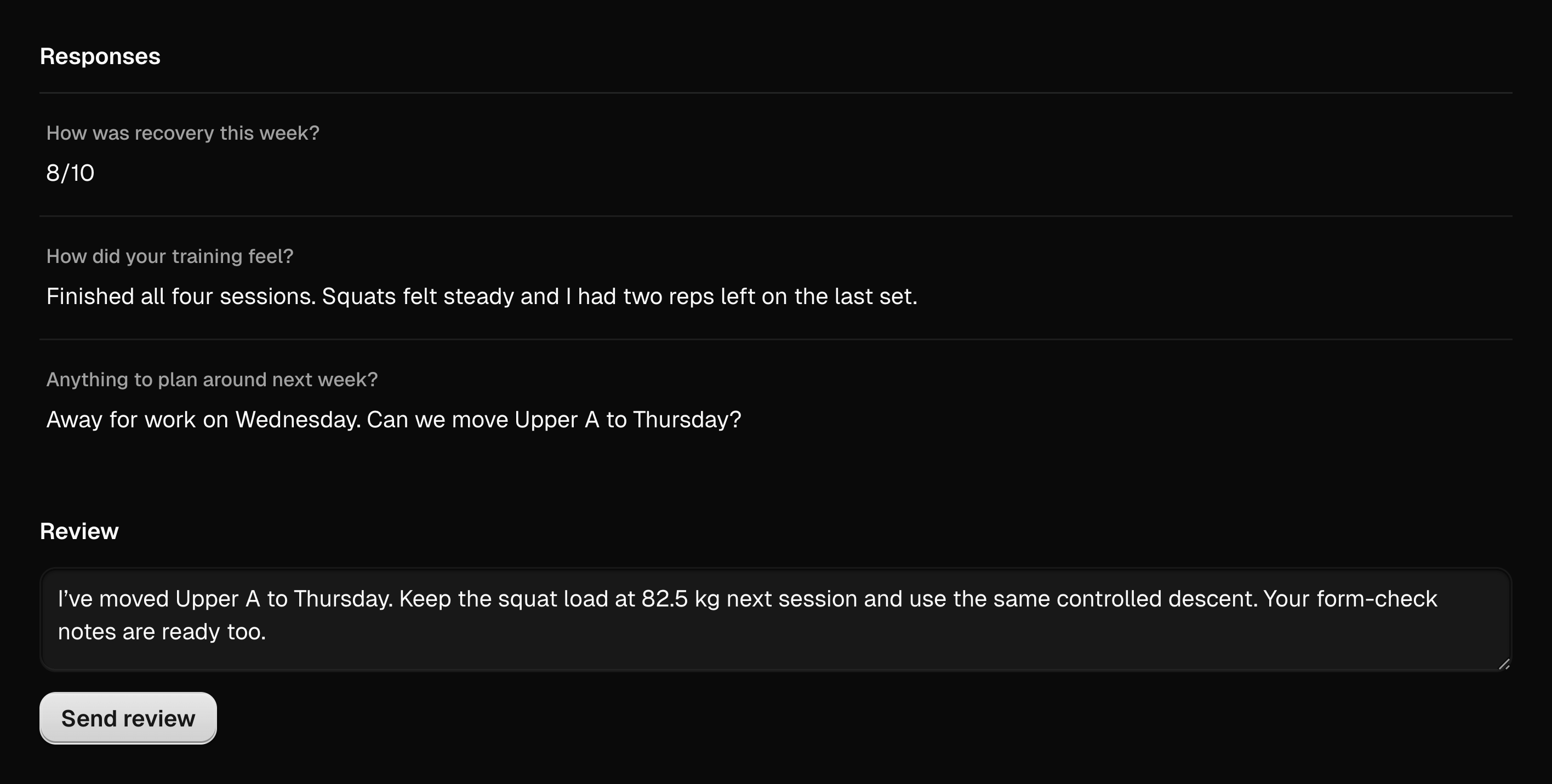
Alex Morgan’s submitted weekly check-in, with their answers and the coach’s review area.
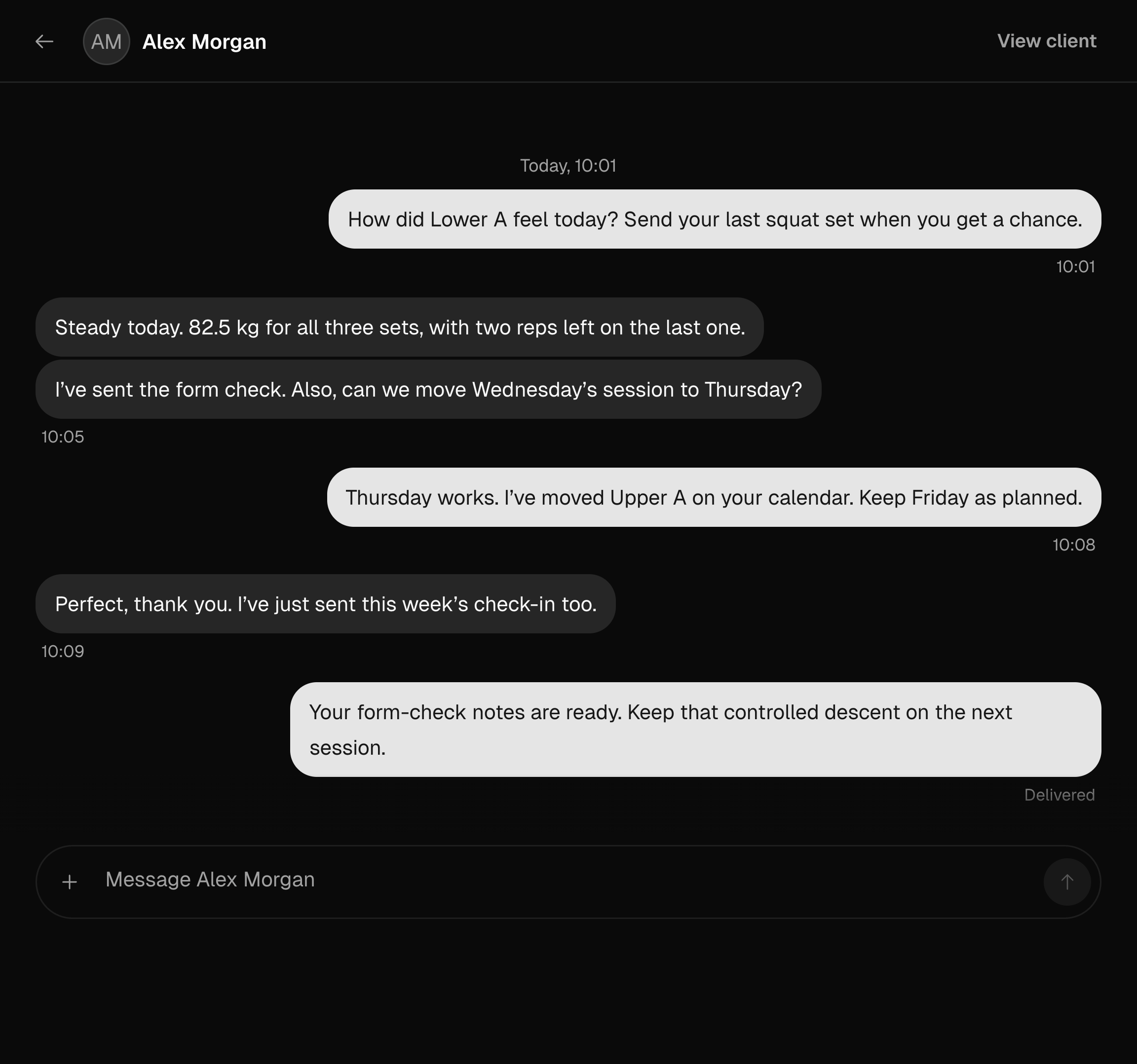
A Method conversation between Alex Morgan and their coach about the week’s training, including a change to the next training day.

Keep the conversation going through messages, with photos and videos when there’s more to show.

Your clients have a place in Method, too.

Clients follow their assigned training and log each session in Method. They can answer your check-ins, send form checks, and read your feedback.

You see their completed work in your coaching workspace.

Your own training belongs here, too.

Keep your personal training and coaching workspace on the same account.

Explore athlete features
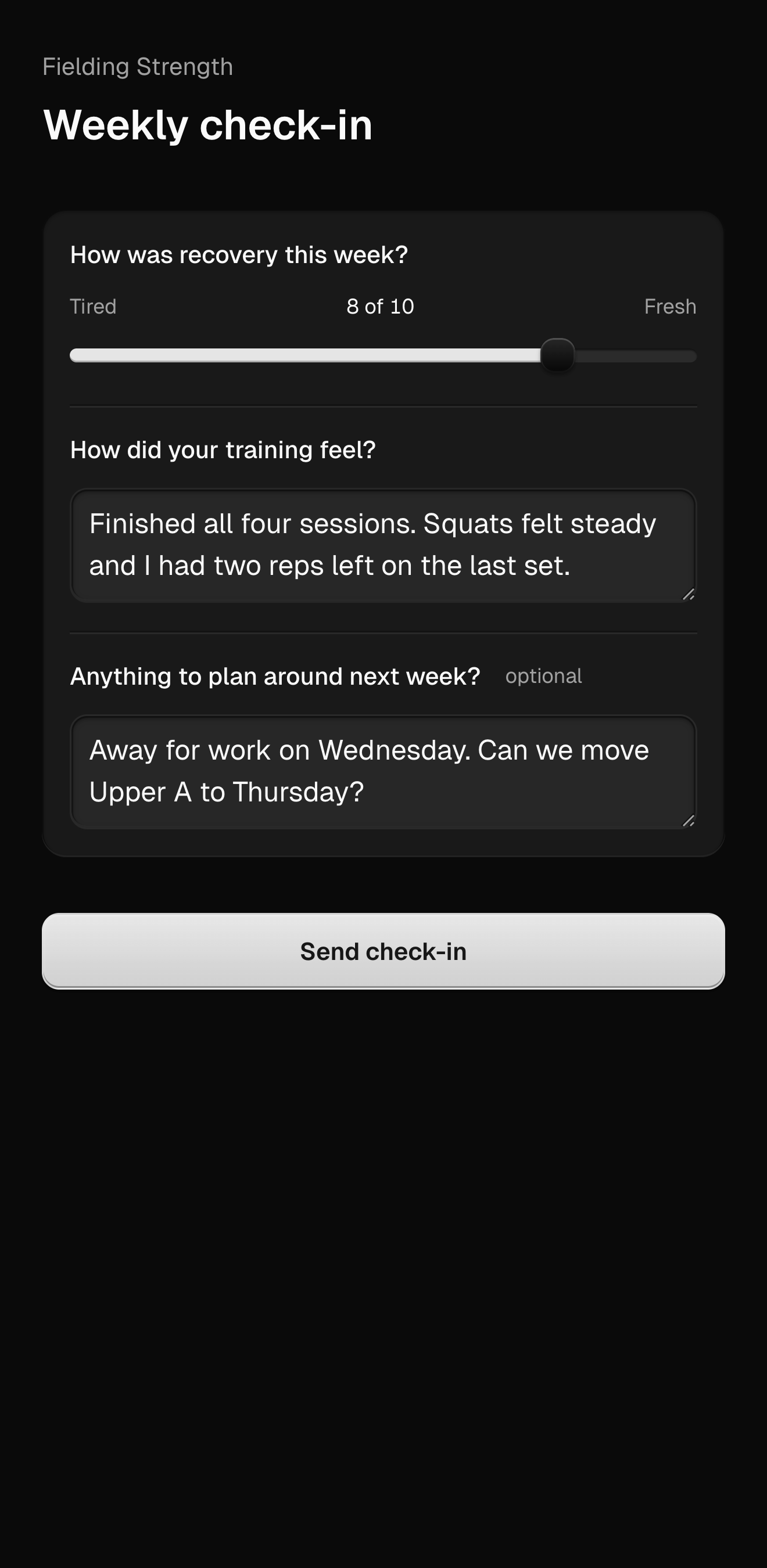
The client’s mobile view of a weekly check-in, with questions about their training and recovery.
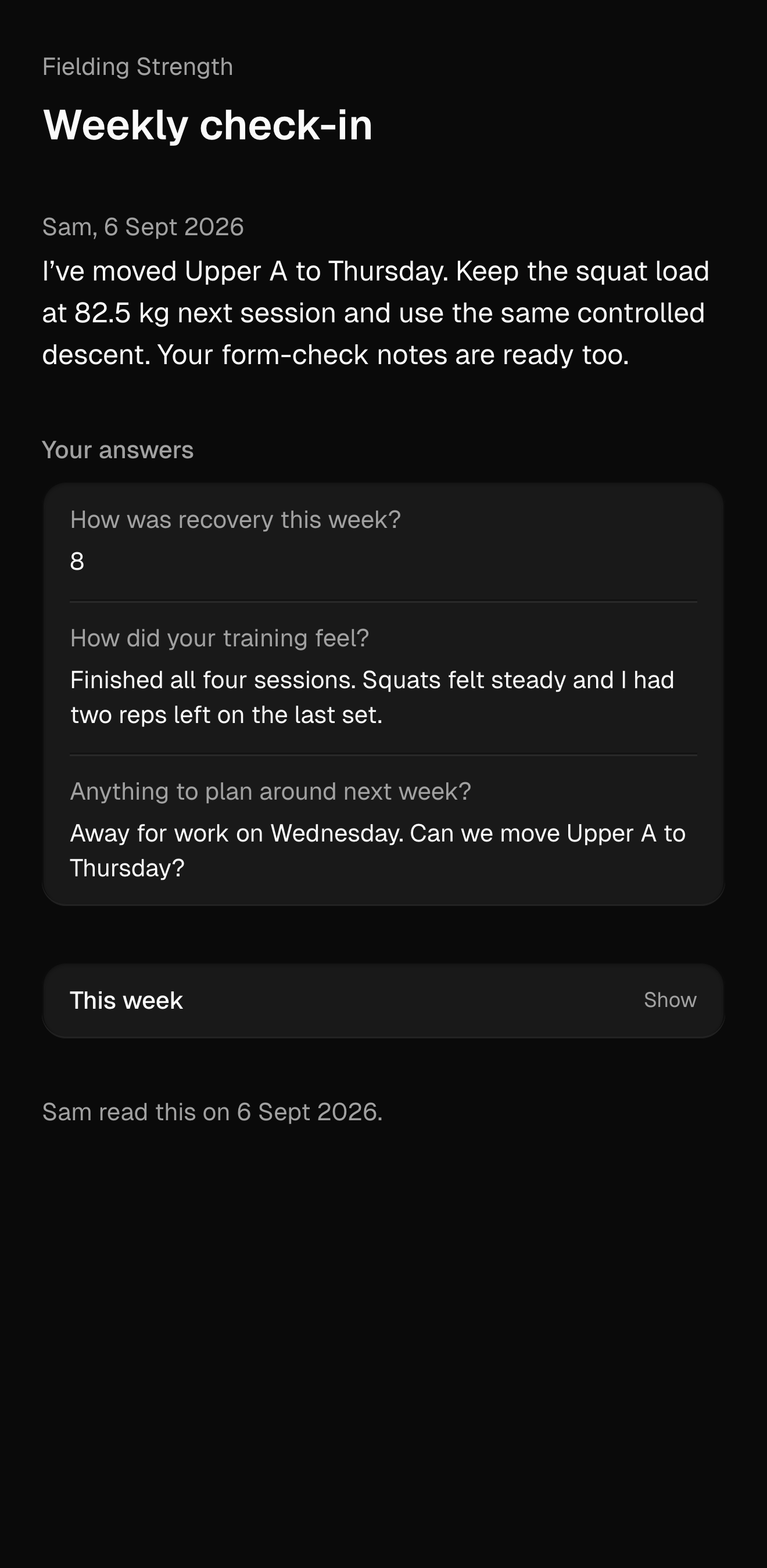
The client’s mobile view of their answered check-in and feedback from their coach.

Coach Workspace

$19.99 USD / month

  • 5 clients included
  • 1 workspace member included
  • Program library and client programming
  • Check-ins, form checks, and messaging
  • 14-day trial
  • $2.00 / additional client / month
  • $9.99 / additional member / month

Coach Workspace

$199.90 USD / year

  • 5 clients included
  • 1 workspace member included
  • Program library and client programming
  • Check-ins, form checks, and messaging
  • 14-day trial
  • $20.00 / additional client / year
  • $99.90 / additional member / year

Before you bring your clients over

Bring your coaching into Method.

Create your workspace and invite your first client.
