
Basic vs Advanced tracking
Tracking mode controls how much prescription detail Method asks you to manage. Your training is recorded either way.
Tracking mode sets how much prescription complexity you manage. Completed sets, session notes, and effort review are part of the record in both modes.
Keeps the logging surface simple: exercise, sets, reps, load, and how the session felt.
Best when you want a clean training log with minimal programming detail.
Adds intensity targets (RIR, RPE), rest timers, tempo, and percent-based loading, plus compatibility with programs that use those fields.
Best when the intent of a set matters as much as the movement and rep target.
Smart loads need Advanced
Smart loads use your recent training history to suggest a starting load. They depend on the Advanced workout model, so they are unavailable in Basic mode. Every suggestion stays editable.
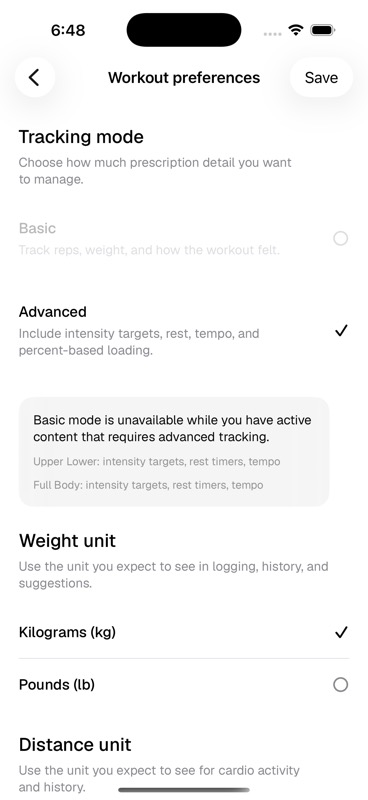
Why switching to Basic can be blocked
Method will not let you switch to Basic while active or scheduled content still requires Advanced fields. A program using RIR, RPE, rest timers, tempo, or percent-based loading needs Advanced tracking so the logger can show the prescription correctly.
- Active Pro content can require Advanced tracking
- Active or paused schedules block a switch if their program has Advanced requirements
- Marketplace checkout can ask you to upgrade tracking mode before adding a program that depends on Advanced fields
Last updated May 9, 2026. Markdown version