
Workout preferences and units
Tracking mode, load units, distance units, and smart load suggestions, all from one place.
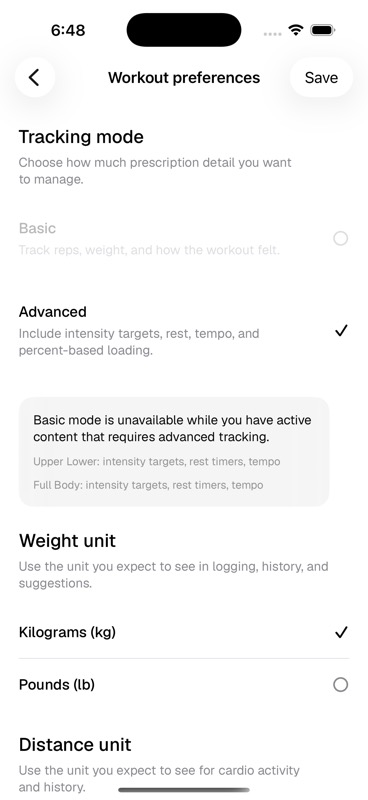
- Tracking mode
Basic keeps the workout surface simpler. Advanced enables intensity targets, rest, tempo, percent-based loading, and smart loads. See Basic vs Advanced tracking.
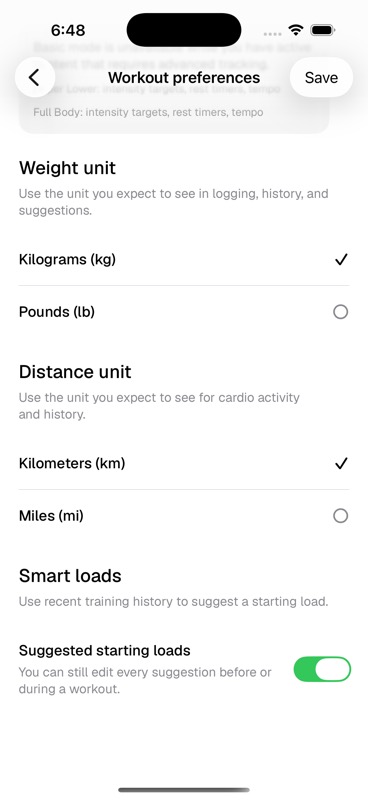
- Weight unit
Kilograms or pounds, for logging, history, and load suggestions.
- Distance unit
Kilometres or miles, for cardio activity and history.
- Smart loads
Uses recent training history to suggest a starting load. Suggestions stay editable.
Smart loads in practice
Keep Advanced tracking on
Smart loads depend on the Advanced workout model, so they are unavailable in Basic mode.
Train normally
Method uses recent logged work to produce a suggested starting load wherever it has enough context.
Edit the suggestion when needed
You can change the load before or during the workout. The suggestion exists to reduce setup friction.
Last updated August 23, 2026. Markdown version