
Check-ins, form checks, and messages
Build check-in templates from your own questions, set each client's rhythm, review form check videos on the frame, and keep conversations in the inbox.
Check-in templates
Open Check-in templates to build the questions you ask. A template is a list of questions in the order the client sees them. Question kinds are written answer, yes or no, choice, rating, number, pain or injury, measurement, and photo, with section headings to group them. A measurement question asks for a specific body measurement, with a side where that applies. A photo question asks for a progress photo in a named pose.
Templates come in two kinds.
- Check-in. Asked on a rhythm and read as a moment in time.
- Client intake. Asked once when a client joins. Pinned answers stay on the client's overview, and the template can carry a medical history section the athlete is told about before they answer.
Publish a template revision before you use it. Editing a template creates a new revision, and check-ins already sent keep the questions they were sent with. Mark one intake template as the default for new clients and invitations can attach it automatically.
A client's rhythm
From a client's Check-ins page, start a rhythm from a template. A rhythm is weekly on the weekdays you choose, or every so many days from a start date, with an optional end date. Method sends each check-in when it is due, and the client answers from the iPhone app. You can also send a one-off check-in from the same page.
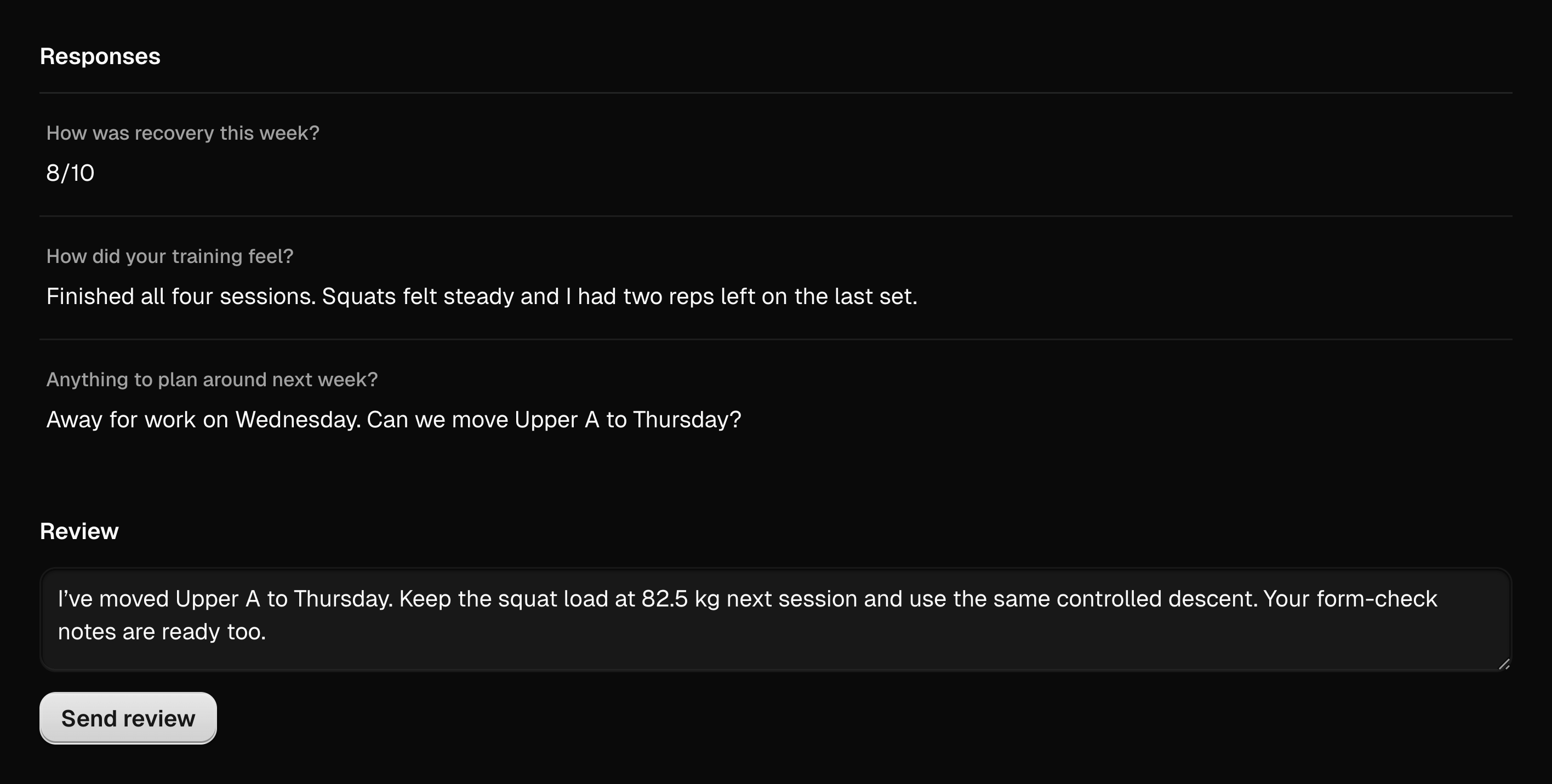
When a client submits, the check-in appears under Review on your workspace home. Open it to read the answers beside your review area and send your feedback. The client reads it in the app.
Form checks
A form check is a video of a lift with your review. Either side can start one. Ask a client for a form check on an exercise, or review a video the client sends from a session.
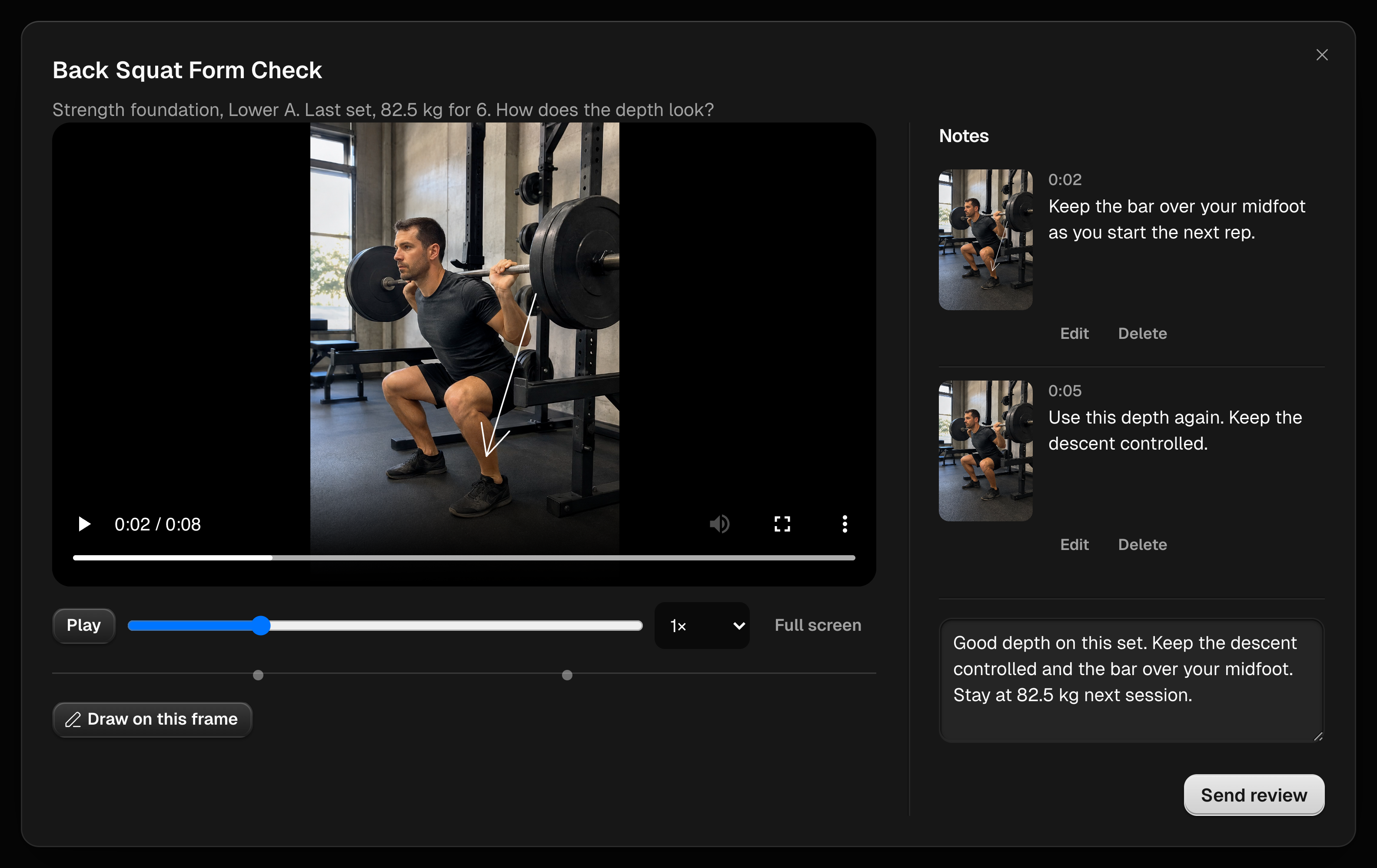
Reviewing a form check pauses the video where you choose. Draw on the paused frame and leave a note at that timestamp, as many times as the lift needs. Send the review with a summary. The client sees the drawings, the timestamped notes, and the summary in the app and can return to them later.
Form check allowance
Set a workspace default under Settings for how many form checks a client can send: unlimited, off, or a limit per week or per month. Override it per client from their Settings page.
Messages
Inbox holds one conversation per client. Send text, photos, and videos. Unread messages appear under Reply on your workspace home. Messaging needs a paid workspace, so it starts with your first payment.
Last updated September 7, 2026. Markdown version