
Publish programs to clients
Build a program in your library, publish it to one client, choose who sets the start date, and review every change before an update reaches their calendar.
Build in the library
Open Programs in the workspace and create a program or open one you have. The editor is the web program editor, with weeks, training days, exercises, and set prescriptions, and the same copy, reorder, and bulk edit tools. A library program can be published to more than one client, so a plan you use often only has to be written once. Your workspace has its own exercise library for custom exercises your clients will see.
Publish to a client
Choose the client
Only clients who granted Schedule training into their calendar appear. A client can be invited without that grant, in which case you can review their training but not publish to them.
Choose who sets the dates
Coach dated. You pick the start date and the training days, either fixed weekdays or a rolling cycle. Method schedules every session.
Client placed. The client picks the start from the iPhone app when they are ready, and Method schedules from there.
Publish
The sessions land on the client's calendar. The client sees the published revision, and you see the assignment on their Programs page.
Update a published program
Edit the library program as usual. Until you publish again, the client keeps the revision they have, and the program shows an unpublished changes badge in your workspace.
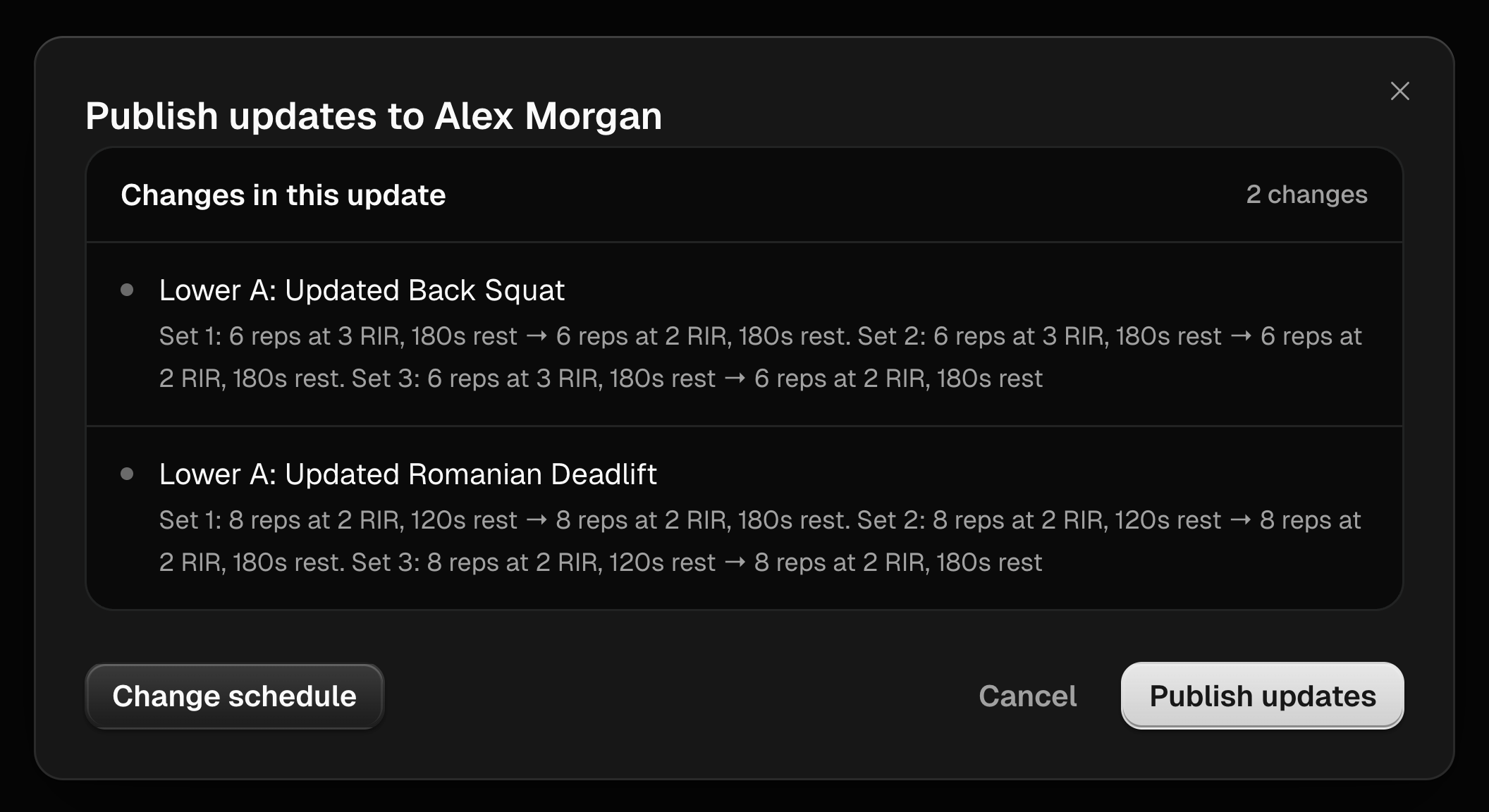
When you publish an update, Method lists the changes the client will receive so you can confirm them before they land. If the change moved training days or altered the structure of the block, Method asks you to review the schedule and offers to publish and reschedule the remaining sessions.
Change a client's schedule
From the client's Programs page you can change the start date or training days of a current assignment without changing the program itself. Completed sessions stay where they are.
Unassign or end
Unassigning removes future sessions from the client's calendar and keeps what they already completed. Ending the coaching relationship offers to write out assigned work through its last assigned day, or stop it now.
Last updated September 7, 2026. Markdown version