
Method for coaches
A Coach Workspace on the web holds your clients, inquiries, program library, check-ins, form checks, messages, and client payments. Clients log their training in the iPhone app.
Coaching in Method is private and one to one. Each client has a coaching relationship with your workspace, and everything you do for that client lives on their client record.
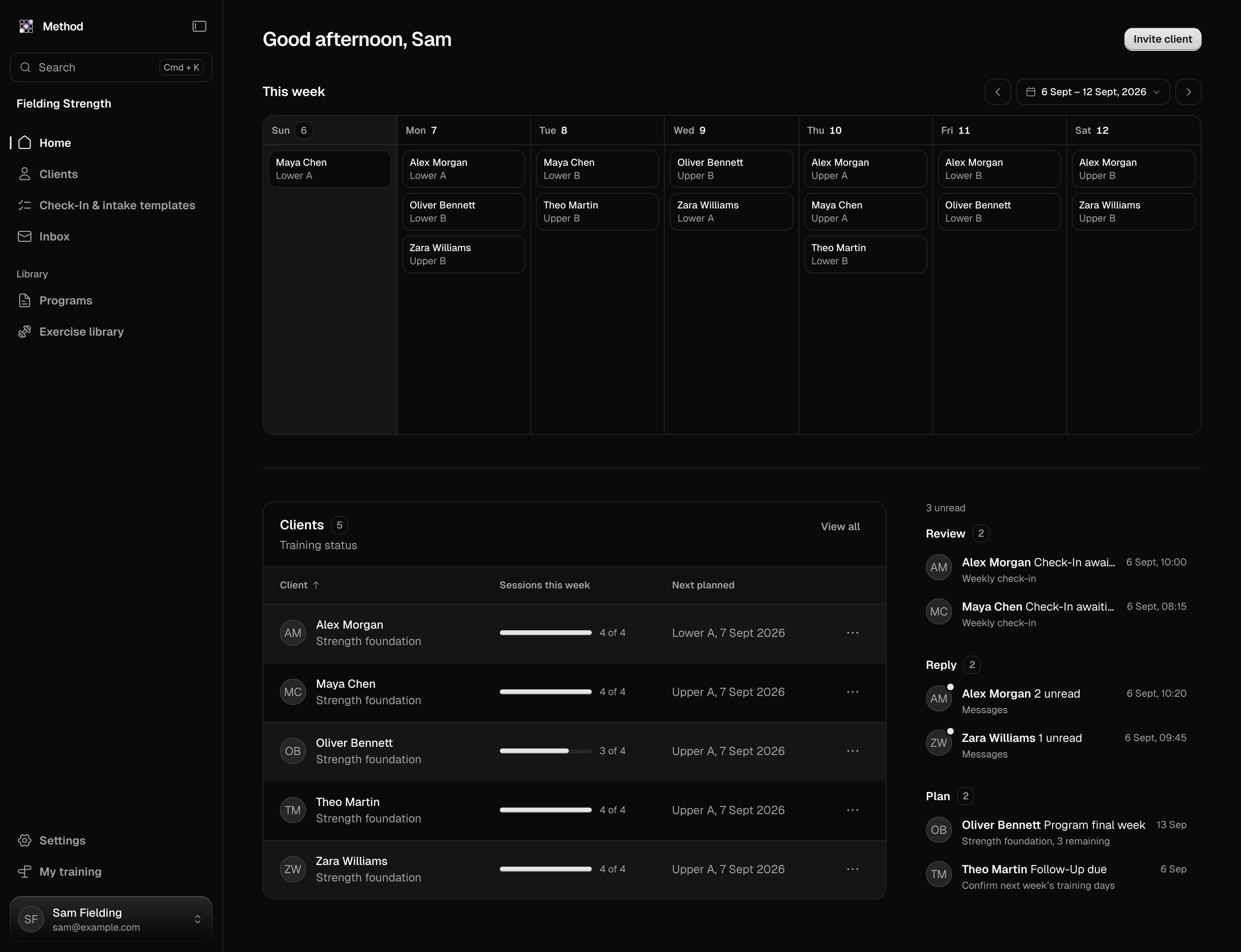
What the workspace holds
Clients
Invitations, offers, the roster, and each client's record: overview, training, programs, check-ins, form checks, progress, notes, billing, and settings.
Programs
Your program library, client training plans, and assigning training to a client's calendar.
Check-ins and form checks
Forms, each client's check-in schedule, form check review, and the inbox.
What your client sees
How an athlete accepts an invitation, pays, follows assigned training, and answers you.
Find your way
The sidebar holds each part of the workspace.
- Home. What needs you today.
- Inbox. One conversation per client.
- Clients. The roster, open invitations, and each client's record.
- Inquiries. People who asked about coaching but are not clients yet.
- Forms. Check-ins, intake forms, and your inquiry form.
- Business. Client, pipeline, and revenue numbers. The workspace owner and admins see it. Revenue is for the owner only.
- Invoices. Every client invoice. The workspace owner sees it.
- Programs and Exercises. Your program library and your workspace's custom exercises.
- Settings. General, Members, Offers, Client payments, and Plan.
Your day
Home opens on Clients who need you. Each row is one client with everything open for them: a check-in to review, a pain flag, missed training, unread messages, a program ending, a follow-up due, or no check-ins set up. Beside it sits their week: what they trained, missed, or left half-done. Clients training as planned sit under Everyone else. The Business column lists payments and inquiries that wait on you. Payments show for the workspace owner only. Open any row to go straight to the client or the work behind it.
Inquiries
Inquiries holds people who are interested in coaching before they become clients. Select Set up form to build your inquiry form, then share it with Copy form link. Anyone with the link can send an inquiry. Select Add inquiry to record someone who contacted you another way. Open an inquiry to keep notes, change its status, and invite them. The inquiry form goes live after your first payment.
Your own training
A coach trains themselves on the same account. Your personal programs, calendar, and history are separate from your clients' and work the way they do for any athlete. While the workspace is usable, your personal training has Method Pro.
Members
A workspace starts with one member, you. Add another coach from Settings, Members and they can work in the same workspace as an Admin or a Coach. What they see for each client depends on the visibility chosen when that client was invited. Each additional member is a monthly charge, and adding a member during the trial starts the paid plan immediately.
Pricing and trial
The workspace is USD $19.99 per month and includes 5 clients and 1 member. Each additional client is USD $2.00 per month and each additional member is USD $9.99 per month. Annual billing charges 10 months for 12.
The 14-day trial covers the workspace, your program library, and your own training. Client invitations, client management, and messaging start with your first payment. Every price is on the pricing page.
Client payments
Clients pay you through Method, with Stripe. The workspace owner sets this up and sees all money.
Set up client payments
Open Settings, Client payments. Add your Tax details, then select Connect Stripe and finish Stripe's setup. Payouts go to your Stripe account.
Create offers
Open Settings, Offers and select New offer. An offer has a name, what it includes, and a price for each frequency you sell: weekly, fortnightly, monthly, or yearly. Add-ons are extra priced lines you can attach to an offer.
Invite with an offer
Each invitation carries an offer, with an optional discount. A paid offer needs client payments set up. The client accepts and pays on the web, and coaching starts with that first payment. A Free discount needs no payment setup, and coaching starts when the client accepts.
Each offer is paid by Automatic payment from a saved card, or by Invoice payment, where the client pays each invoice from a link. Use Invoices to send other invoices, such as for a single session. A client pays one of these by card online when Stripe is connected, or by the payment instructions you set in Client payments. On each online client payment, Method keeps 2% of the amount before tax. Stripe's processing fees come from your Stripe account.
Client payments use your business country, chosen at signup: Australia, Canada, New Zealand, the United Kingdom, or the United States.
What coaching in Method does not include
- A marketplace. There is no public listing of coaches or programs.
- Training groups. Coaching is one to one.
Last updated October 30, 2026. Markdown version