
Log strength workouts
Follow the planned targets, record what happened, use timers and notes, then review before saving.
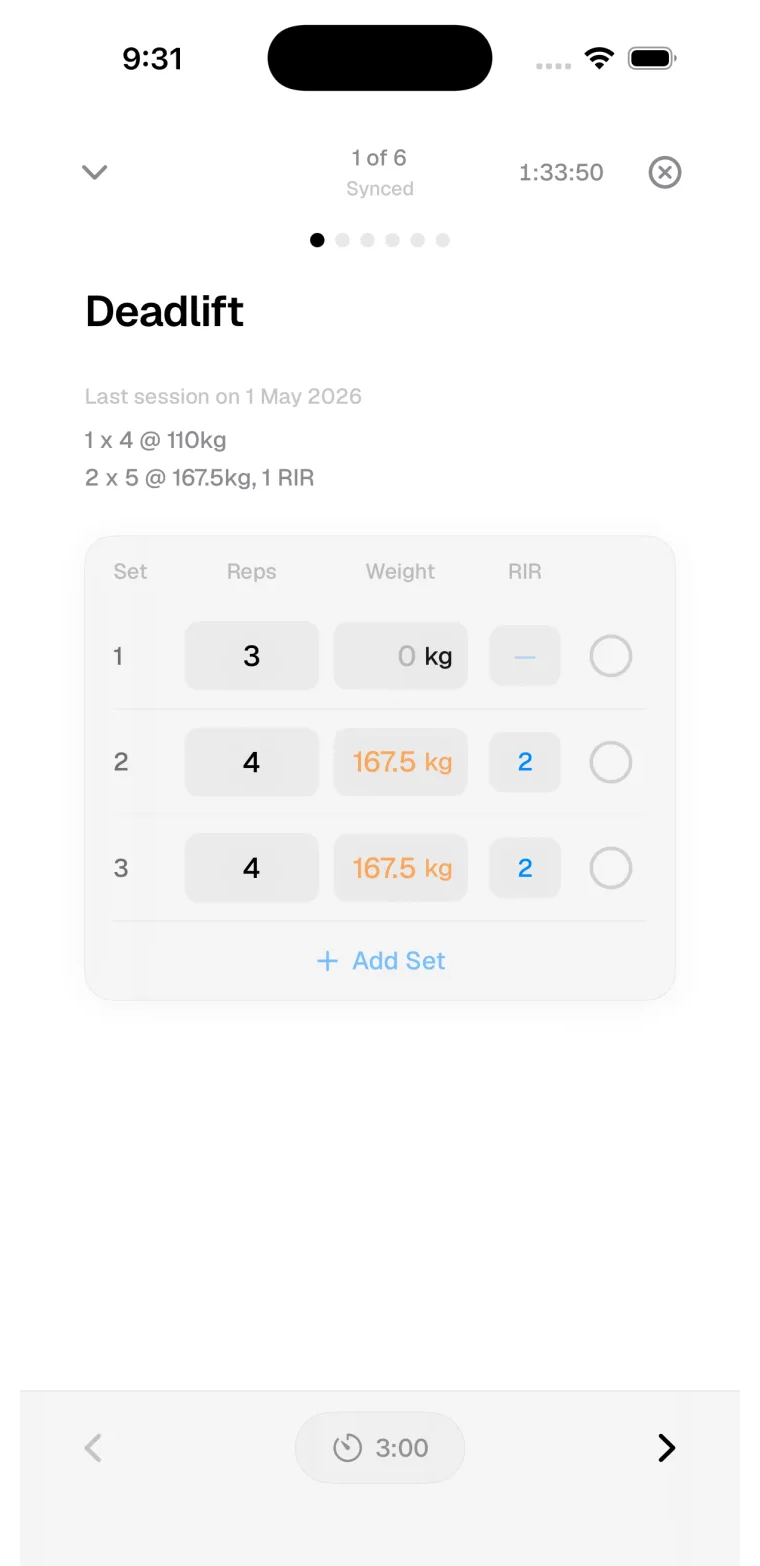
During the workout
Follow the planned order
The logger shows session structure first: exercise order, set targets, notes, and advanced prescriptions when the program uses them.
Record what happened
Enter completed reps, load, and set details as you train. If the set changed, log the real result.
Use session tools
Add an exercise when needed, use rest timer controls when the plan includes rest, and keep notes close to the work they explain.
Review before saving
After the logged work, Method shows a review step for session notes and effort. Effort starts unset, so the saved value reflects an intentional choice.
Common situations
I swapped an exercise mid-session
Add the movement you performed and log it. History should describe what happened in the gym.
I added extra sets
Add them. The prescription is a target. Logged sets beyond the plan count normally in history and analytics.
The suggested load looks wrong
Smart loads are suggestions drawn from recent history and stay fully editable. Overwrite it. Your entry becomes the basis for the next suggestion.
Last updated May 9, 2026. Markdown version