
Settings that affect training
Tracking mode, units, smart loads, schedule, and training setup, visible from the device you train with.
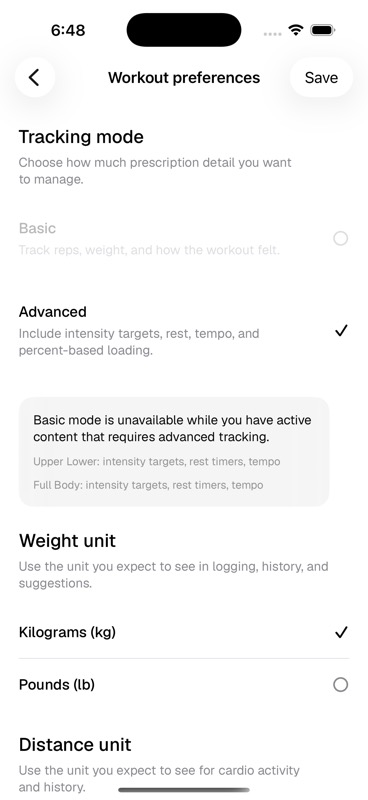
Worth checking before a new block
- Tracking mode matches the detail level of the programs you are about to run
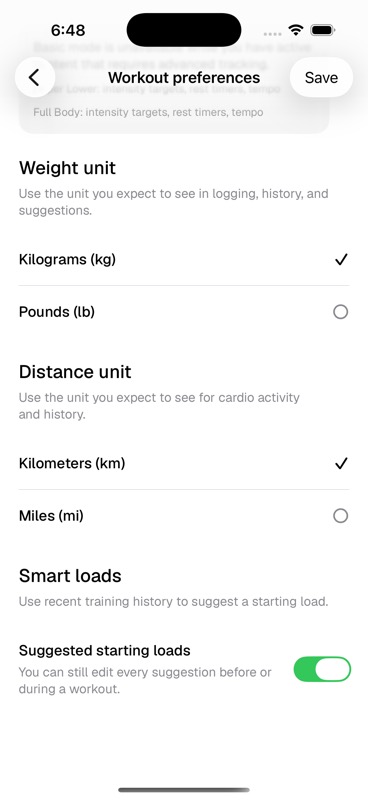
- Weight and distance units match what you expect to log
- Smart loads are on if you want starting load suggestions
- Schedule and equipment still match your training setup
Where each setting lives
- Workout preferences
Tracking mode, weight unit, distance unit, and smart loads.
- Training setup
Training style, available equipment, and usual location.
- Goals & experience
Training goal, experience range, and limitations.
- Schedule
Days per week and typical session length.
Last updated May 9, 2026. Markdown version