
Copy, reorder, and reuse structure
Duplicate clean weeks, reorder days, apply day order across weeks, and import saved sessions when a plan repeats.
Most programs repeat more than they change. These tools exist so you write the repeating part once.
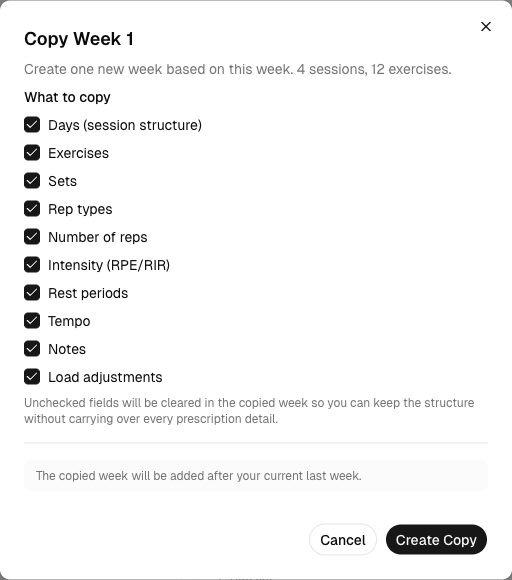
Copy Week
Use this when the next week keeps most of the same structure. Open the week tab's menu and choose Copy Week. Under What to copy, untick the fields that need a new prescription so the copy leaves them clear, then choose Create Copy.
Reorder without rebuilding
Move weeks on the week strip
Use the week-level controls when block order changes.
Move days on the day rail
Reorder training days inside a week when the plan reads better in a different sequence.
Apply matching day order
When other weeks should follow the same order, apply the ordering change once and it propagates.
Last updated May 9, 2026. Markdown version