
Set up your training profile
Goals, equipment, schedule, and units are the settings everything else reads from. Get them right once.
Onboarding captures a first version of your profile. These settings stay editable, and keeping them current is what keeps Method's suggestions and defaults useful.
Set your goal and experience
Training goal, experience range, and any injuries or limitations Method should keep in mind when presenting training.
Describe your training setup
Training style, available equipment, and where you normally train. This is what stops Method suggesting a movement you have no way to perform.
Set your schedule
How many days per week you normally train and your usual session length.
Choose units and tracking mode
Kilograms or pounds, kilometres or miles, and whether you want Basic or Advanced tracking. See Basic vs Advanced tracking if you are unsure.
Where to change it later
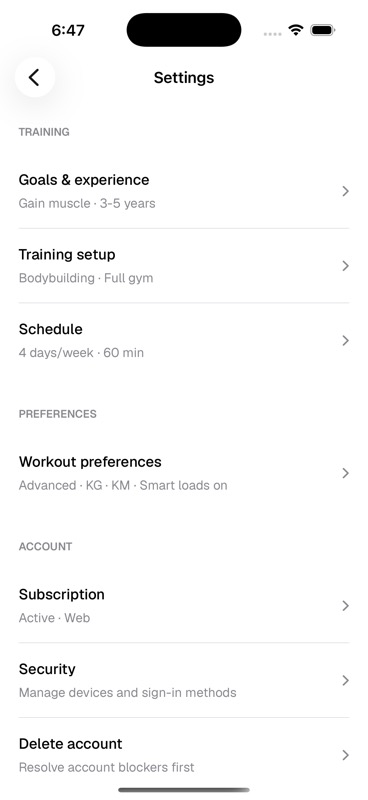
Account settings hold your profile, training setup, schedule, and workout preferences in one place.
Settings splits the same options across Goals & experience, Training setup, Schedule, and Workout preferences.
When to revisit these settings
- Your available equipment changes
- You move from simple logging into more detailed programming
- You switch between kilometres and miles, or kilograms and pounds
- Your schedule changes enough that planned programs feel wrong
Last updated July 26, 2026. Markdown version