
Build your first program
Go from an empty builder to a scheduled training week without getting lost in set-level detail too early.
The most common way to stall in the builder is to perfect week one before week two exists. Build the shell first, then fill it in.
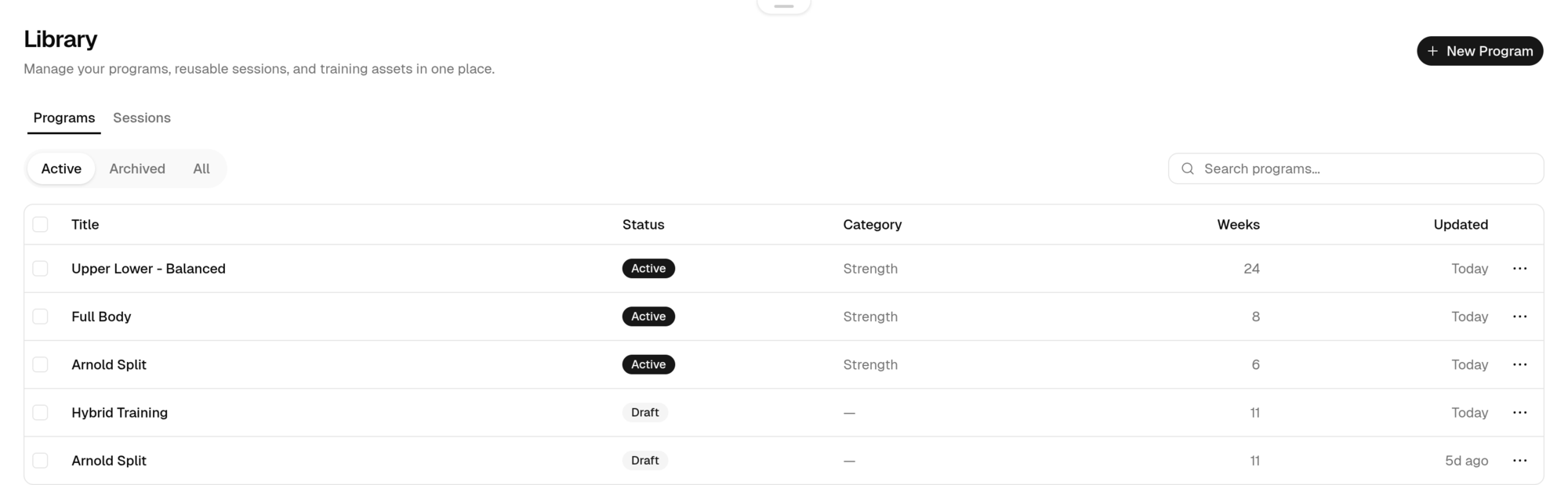
Create the program
From Library, choose New Program. Give it a name and, if you want, a category and description. Everything else can wait.
Add your weeks and days
Build the week strip and the training day rail before touching a single exercise. Match the schedule you actually train. Four days a week means four training days.
Add exercises to one day
Fill in a single day completely: movements, target reps, and load guidance. This is where you find out whether the day is realistic.
Copy the structure forward
Use Copy Week once week one reads well, then adjust only what changes. See Copy, reorder, and reuse.
Schedule it
Activate the program so it appears on your iOS calendar. Until you do, it stays a plan.
How much detail to add
Advanced prescriptions are optional. Reps and load are enough for most first programs.
- Just starting
Exercise, sets, target reps. Add load once you know your working weights.
- Following a written program
Add intensity targets (RIR or RPE) and rest so the logger can show you the prescription mid-session. Requires Advanced tracking.
- Repeating a block
Save the day as a session so you can import it into future programs.
Last updated July 26, 2026. Markdown version